Tutorial math and reading software for elementary and secondary arithmetic, basic math, algebra, geometry, precalculus plus GED, ABE, and CLEP preparation for elementary school, high school, college, adult education, and homeschool students.
Integrating Classroom Technology into the Curriculum

So, now that all this classroom technology is available, how in the world do we integrate it into our teaching methods?
Classroom technology has grown from simple calculators to entire instructional curriculum delivered by computers in the classroom. Here are a few methods from which to choose. Use this math software for the explanations and the math practice it provides. This versatile software allows the user to click and go anywhere from a menu of topics. First of all let's divide the methods into two main categories:
I. Using instructional technology in the classroom situation:
(1) In front of the class with an LCD projector
Since this software is curriculum-based, find the appropriate lesson using the computer as a tool for the introduction of the topic. Project the examples on the screen while the students actually PRACTICE at their desks. When, most of the students have given the example problem their best shot, the solution is revealed (by the teacher and the software). Discussion usually follows. This technique keeps the students actively involved in the learning process. Ideally, the homework would be the same as the classroom instruction and practice. For learning geometry, this method of instruction is very useful and timesaving because the teacher does not have to select and draw complicated time-consuming diagrams.
(2) In a "lab" setting with groups of students -- The students meet in a computer lab with 1-2 students per computer and are directed by the teacher to:
a. Work on a particular topic that is being introduced or practiced which will correlate to the homework assignment.
b. Re-enforce classroom learning by taking the included test on that topic at the computer. This is an excellent math learning tool to prepare for a classroom exam.
II. Using math tutorial software in an individual situation (1-2 students at a single computer or a student and teacher/facilitator at a single computer) where the learner:
(1) Catches up on missed material (the classroom instructor should use the included Progress forms to check off those topics a student has missed or needs extra practice on).
(2) Practices for a classroom test, studies specific topics, or takes the included test at the computer.
(3) Accelerates -- some learners like to take a peek into the future -- this is a perfect way to afford them the opportunity to do so.
(4) Is handed software along with the textbook at the beginning of the year -- the teacher then assigns sections of the software for the student to amplify and supplement the textbook material.
(5) Uses a laptop. Some schools provide each student with their own laptop at the beginning of the year and the software is loaded onto each student's laptop for use both in the classroom and at home.
(6) In remote communities such as in Alaska and other rural areas, the instructional software is very useful for distance learning programs. The student is given assignments, studies the material from the computer and is given an exam before credit is given for the course work.
(7) Instructional technology is particularly valuable if a homeschooler is absent for a long period of time. The student can keep up with the standard classroom curriculum, if he is told what to study with due dates for specific topics.
(8) Is part of an after school math tutorial program.
So, if your teaching style is to stand at the front of the class and lecture, use this classroom software as a tool for your presentations or as a private tutor for those who missed your lecture or just don't get it. If your teaching style is that the students work at the computer at their own speed while you circulate to the ones who want or need your interaction, let that be the setting for learning. And, there certainly is nothing wrong with using a combination of these methods. After school program math students benefit from the "start anywhere" and "stop anywhere" menu-driven math topics.
Let's talk about assessments provided by this comprehensive instructional classroom technology...
-- In the "Arithmetic Series", the "Basic Math Series", the "Reading and Thinking Series" and the "Algebra Series By Chapter" test answers are only available to the teacher. After the student completes the test, the computer scores the test, gives a percentage and details which responses are correct or incorrect and which topics require further study. The score sheet, evaluation of weak areas, and the test the student just completed should be printed for recording and the hard copy provides a record of the student's work. The scores are automatically recorded by the computer -- at the end of the day, week, semester, the teacher/facilitator can access the computerized record of all students who took the assessments.
-- Each topic in the "Geometry Series" and "Advanced Math Series" software concludes with a practice test that contains all the step-by-step solutions which are detailed and instructional. These tests are learning math tools. The student will know immediately if a question is correct or not and can select to view the in-depth solutions. Most of the math teaching is in the solution steps of each question. This method is perfect for review for mid-term and final exams as well as S.A.T. and A.C.T. preparation.
-- If the more advanced software is to be used for grading purposes, the teacher prints the test without the solutions and the students take the test on paper. After the test is graded and recorded by the teacher, the student can then go over the returned test at the computer. This eliminates the need for the teacher to explain each and every question of the test. The age-old problem of never having enough time to explain ALL the answers on each and every test! The teacher can then re-collect the tests and have a permanent hard copy record.
Since having an educational software library for the computers in the classroom is a good thing, as schools accumulate software from different sources, year after year, it is imperative that the software be catalogued, so that both teachers and students know what to choose from. Simply listing "Algebra" is not good enough. Each and every topic in that algebra program should be listed. A sheet or even a booklet listing the contents of each piece of software that the school owns is necessary if the technology is to be used.
In Conclusion
Math Teaching Methods
Integrating Math Software into the Curriculum:
(1) The teacher/facilitator introduces selected math topics by computer (via LCD projector and/or individual work stations)
(2) Or, choose to have the math students work alone at their computer workstations. At the end of the time period, the facilitator collects the competency data. This classroom technology pinpoints competency skills not mastered which must be reinforced by the student returning to the appropriate study section in the software.
(3) Reinforce computer session with printed worksheets for classwork or homework.
(4) The student practices on the same math tutorial program until a satisfactory score is received on the review sections and the test sections.

Classroom technology has grown from simple calculators to entire instructional curriculum delivered by computers in the classroom. Here are a few methods from which to choose. Use this math software for the explanations and the math practice it provides. This versatile software allows the user to click and go anywhere from a menu of topics. First of all let's divide the methods into two main categories:
I. Using instructional technology in the classroom situation:
(1) In front of the class with an LCD projector
Since this software is curriculum-based, find the appropriate lesson using the computer as a tool for the introduction of the topic. Project the examples on the screen while the students actually PRACTICE at their desks. When, most of the students have given the example problem their best shot, the solution is revealed (by the teacher and the software). Discussion usually follows. This technique keeps the students actively involved in the learning process. Ideally, the homework would be the same as the classroom instruction and practice. For learning geometry, this method of instruction is very useful and timesaving because the teacher does not have to select and draw complicated time-consuming diagrams.
(2) In a "lab" setting with groups of students -- The students meet in a computer lab with 1-2 students per computer and are directed by the teacher to:
a. Work on a particular topic that is being introduced or practiced which will correlate to the homework assignment.
b. Re-enforce classroom learning by taking the included test on that topic at the computer. This is an excellent math learning tool to prepare for a classroom exam.
II. Using math tutorial software in an individual situation (1-2 students at a single computer or a student and teacher/facilitator at a single computer) where the learner:
(1) Catches up on missed material (the classroom instructor should use the included Progress forms to check off those topics a student has missed or needs extra practice on).
(2) Practices for a classroom test, studies specific topics, or takes the included test at the computer.
(3) Accelerates -- some learners like to take a peek into the future -- this is a perfect way to afford them the opportunity to do so.
(4) Is handed software along with the textbook at the beginning of the year -- the teacher then assigns sections of the software for the student to amplify and supplement the textbook material.
(5) Uses a laptop. Some schools provide each student with their own laptop at the beginning of the year and the software is loaded onto each student's laptop for use both in the classroom and at home.
(6) In remote communities such as in Alaska and other rural areas, the instructional software is very useful for distance learning programs. The student is given assignments, studies the material from the computer and is given an exam before credit is given for the course work.
(7) Instructional technology is particularly valuable if a homeschooler is absent for a long period of time. The student can keep up with the standard classroom curriculum, if he is told what to study with due dates for specific topics.
(8) Is part of an after school math tutorial program.
So, if your teaching style is to stand at the front of the class and lecture, use this classroom software as a tool for your presentations or as a private tutor for those who missed your lecture or just don't get it. If your teaching style is that the students work at the computer at their own speed while you circulate to the ones who want or need your interaction, let that be the setting for learning. And, there certainly is nothing wrong with using a combination of these methods. After school program math students benefit from the "start anywhere" and "stop anywhere" menu-driven math topics.
Let's talk about assessments provided by this comprehensive instructional classroom technology...
-- In the "Arithmetic Series", the "Basic Math Series", the "Reading and Thinking Series" and the "Algebra Series By Chapter" test answers are only available to the teacher. After the student completes the test, the computer scores the test, gives a percentage and details which responses are correct or incorrect and which topics require further study. The score sheet, evaluation of weak areas, and the test the student just completed should be printed for recording and the hard copy provides a record of the student's work. The scores are automatically recorded by the computer -- at the end of the day, week, semester, the teacher/facilitator can access the computerized record of all students who took the assessments.
-- Each topic in the "Geometry Series" and "Advanced Math Series" software concludes with a practice test that contains all the step-by-step solutions which are detailed and instructional. These tests are learning math tools. The student will know immediately if a question is correct or not and can select to view the in-depth solutions. Most of the math teaching is in the solution steps of each question. This method is perfect for review for mid-term and final exams as well as S.A.T. and A.C.T. preparation.
-- If the more advanced software is to be used for grading purposes, the teacher prints the test without the solutions and the students take the test on paper. After the test is graded and recorded by the teacher, the student can then go over the returned test at the computer. This eliminates the need for the teacher to explain each and every question of the test. The age-old problem of never having enough time to explain ALL the answers on each and every test! The teacher can then re-collect the tests and have a permanent hard copy record.
Since having an educational software library for the computers in the classroom is a good thing, as schools accumulate software from different sources, year after year, it is imperative that the software be catalogued, so that both teachers and students know what to choose from. Simply listing "Algebra" is not good enough. Each and every topic in that algebra program should be listed. A sheet or even a booklet listing the contents of each piece of software that the school owns is necessary if the technology is to be used.
In Conclusion
Math Teaching Methods
Integrating Math Software into the Curriculum:
(1) The teacher/facilitator introduces selected math topics by computer (via LCD projector and/or individual work stations)
(2) Or, choose to have the math students work alone at their computer workstations. At the end of the time period, the facilitator collects the competency data. This classroom technology pinpoints competency skills not mastered which must be reinforced by the student returning to the appropriate study section in the software.
(3) Reinforce computer session with printed worksheets for classwork or homework.
(4) The student practices on the same math tutorial program until a satisfactory score is received on the review sections and the test sections.
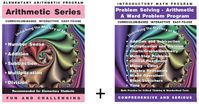 Regular price: $189.00 Limited Time Offer: $94.50 |
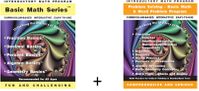 Regular price: $189.00 Limited Time Offer: $94.50 |
 Regular price: $189.00 Limited Time Offer: $94.50 |
 Regular price: $399.00 Limited Time Offer: $199.50 |
 Regular price: $299.00 Limited Time Offer: $149.50 |
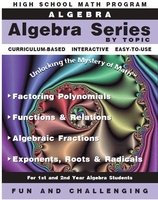 Regular price: $159.00 Limited Time Offer: $79.50 |
 Regular price: $299.00 Limited Time Offer: $149.50 |
 Regular price: $349.00 Limited Time Offer: $174.50 |
 Regular price: $684.00 Limited Time Offer: $342.00 |
 Regular price: $39.00 Limited Time Offer: $19.50 |
 Regular price: $39.00 Limited Time Offer: $19.50 |
 Regular price: $699.00 Limited Time Offer: $349.50 |
 Regular price: $1,588.00 Limited Time Offer: $794.00 |
- Educational Comments & Articles
- Schools and Institutions - Licenses
- MathMedia Education Bundles
- Arithmetic
- Basic Math Software Series - Fractions
Decimals
Percents
PreAlgebra
Geometry - ABE - Math
- Reading Comprehension-Critical Thinking Series with Phonics, Grammar, & Values
- Algebra by Chapter (Set of eight programs)
- Algebra by Topic
- Geometry
- Advanced Mathematics
- GED®Test Prep Bundle
- GED - Beginning Practice Math Test
- PSAT / SAT - Math
- College Level - CLEP Test Prep
- HOME USERS
- System Requirements
- Satisfied Customers
- Why Choose MathMedia?
- How to Use MathMedia - FAQ
- ORDER FORM (Adobe PDF)
Prices are temporarily discounted. - Article Archives



